

Working from home works best when work has its own place, even a small one. Home office setup ideas do not need a spare room or a large budget. This guide covers each part, step by step, for full-time homeworkers and for people who work from home only some days.
How to set up a home office means choosing a quiet spot, a good desk and chair, and storage, lighting, and tech that support focused work; thestylesmagazine.com only provides information about how to set up a home office, nothing else.
Quick Guide
| Part | Good choice | Avoid |
|---|---|---|
| Spot | Quiet, near daylight | Busy hallway |
| Desk | Fits your work, at elbow height | Too high or too small |
| Chair | Adjustable, supportive | Dining chair all day |
| Light | Window + desk lamp | Only overhead light |
| Storage | One drawer + one shelf | Piles on the desk |
Step-by-Step Guide
- Choose a quiet spot with daylight, away from the busiest part of the home.
- Set up a desk and chair at the right height, with the screen at eye level.
- Add a desk lamp, storage for papers, and a place for cables.
- Test internet, power, and video calls before your first full workday.
- Clear the desk each evening, so the next morning starts fresh.
Choose the Right Spot in Your Home
The best spot is quiet, well-lit, and separate from rest areas when possible. A spare bedroom, a quiet corner of a living room, or a wide hallway landing can all work. Look for natural daylight, as it helps focus and mood, and check for glare on screens at different times of day. Avoid spots next to a television, a busy kitchen, or a front door, where noise and movement break concentration. If you share the home, agree on work hours and quiet times, so everyone knows when the office is in use.
Think about background and boundaries too. A plain wall or tidy shelves behind you look professional on video calls. Measure the space before you buy furniture, and leave room to move, open drawers, and push the chair back. A spot that feels calm and private, even if small, will serve you better than a large desk in a noisy, busy room. Choose the spot first, and let furniture follow the space, not the other way round.
The Desk and Chair: Comfort That Lasts All Day
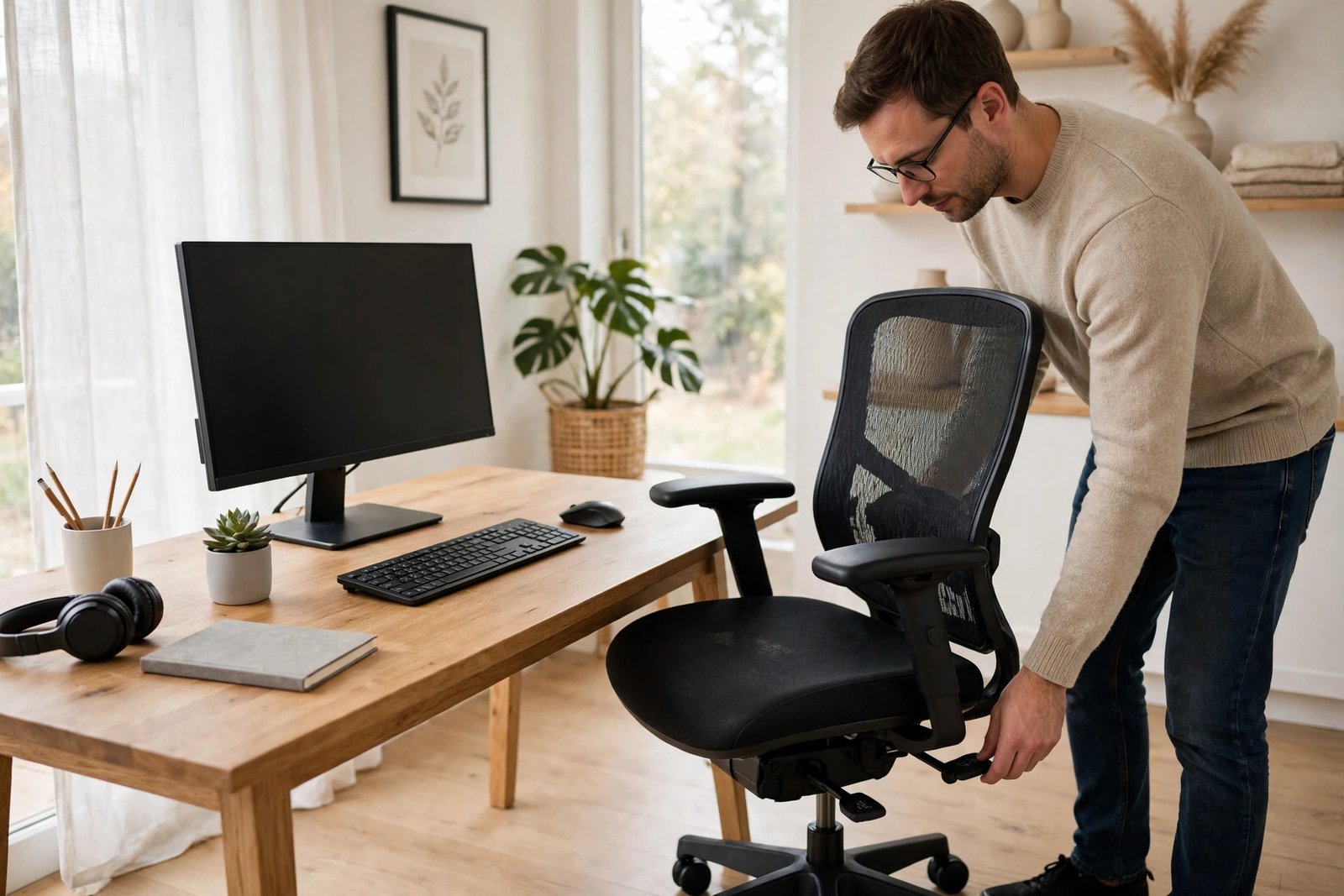
A good chair is the most important purchase for a home office. An ergonomic home office setup starts with a chair that supports your lower back, lets your feet rest flat on the floor, and adjusts in height. Your knees should be at about a right angle, and your elbows should rest comfortably at desk height. Comfort over a full day matters more than how a chair looks.
Choose a desk that fits your work and your space. It should hold your screen, keyboard, and daily tools, with a little room to write. A desk at elbow height, with the screen top at or just below eye level, reduces neck and shoulder strain. Use a laptop stand or a stack of books to raise a laptop screen, with a separate keyboard and mouse at desk level. Keep the desk surface mostly clear, with only daily items on it. A comfortable, well-set desk and chair prevent aches and make long workdays far easier.
Small Spaces: Corners, Alcoves, and Shared Rooms
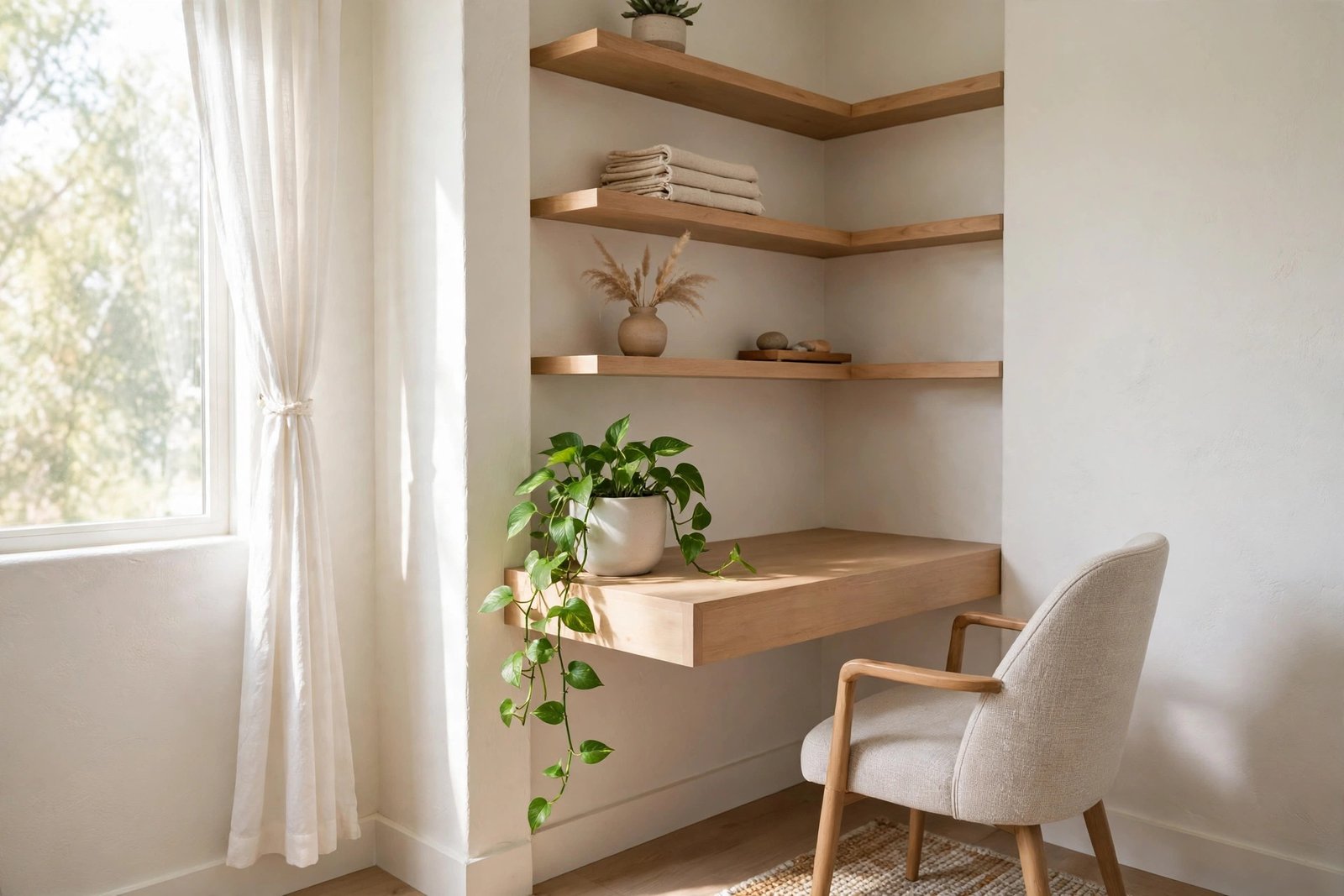
Small home office ideas make the most of corners, alcoves, and spare walls. A corner desk fits neatly into a corner and gives more surface than a straight desk in the same space. A floating desk or a wall-mounted shelf desk suits a very small room, as it takes no floor space for legs. An alcove can hold a desk, a shelf above, and a chair, creating a mini office that feels separate.
In a shared room, a desk that can be cleared quickly works best. Keeping shared spaces clean and well-organized starts with a desk that can be cleared in five minutes, with papers filed and cables tucked away. Use a room divider, a curtain, or a tall plant to mark the office area, and agree on quiet hours with others in the home. Store work items in one drawer or box, so the room can return to family use in the evening. A small office that can be set up and packed away easily is often more practical than a large desk that takes over a shared room.
Your Desk Setup: Screen, Keyboard, and Daily Tools
Your home office desk setup should put the screen, keyboard, and mouse in comfortable positions. Place the screen about an arm’s length away, with the top of the screen at or just below eye level. The keyboard should sit flat, with your wrists straight and relaxed, and the mouse close beside it, so you do not reach. If you use two screens, place the main screen directly in front of you, and the second screen to one side, at the same height.
Keep daily tools within easy reach: a notebook, pens, water, and a phone charger. Store rarely used items in a drawer or on a shelf, so the desk stays clear. Use a monitor stand or a small shelf to lift the screen and create storage beneath it. Test the setup for a full day, and adjust one thing at a time: screen height, chair height, or keyboard position. Small adjustments, made slowly, are more useful than a large, expensive change made all at once.
Lighting That Helps You Focus and Rest Your Eyes
Home office lighting ideas start with daylight. Place your desk near a window, facing sideways to it, so light falls across the desk without shining directly into your eyes or onto the screen. Daylight helps you stay alert, and it looks good on video calls. Add a desk lamp for cloudy days and evenings, with a warm, adjustable light that can be aimed at your work. Avoid working with only a bright overhead light, as it can cause glare and eye strain. A mix of daylight and a soft task light suits most people best.
Check for glare and shadows at different times of day. If the sun shines on your screen in the afternoon, use a blind or move the desk slightly. In the evening, dim the screen and use warm light, to help you wind down after work. Good lighting is not only about seeing clearly; it affects comfort, mood, and sleep. A well-lit office, with light you can control, makes focused work easier and long days less tiring.
Storage and Organisation for a Clear Desk
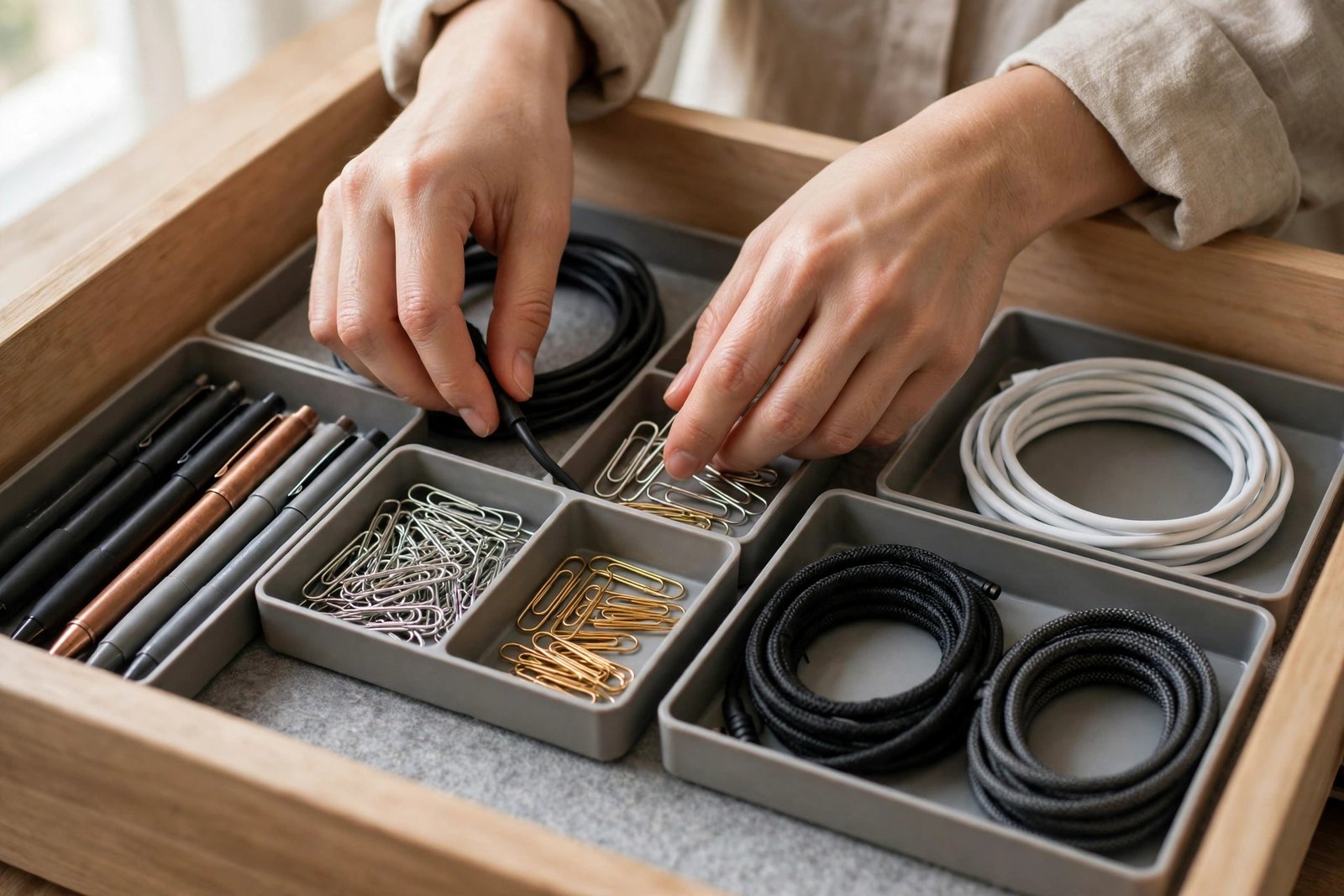
Home office organization ideas keep papers and supplies in their place, so the desk stays clear. Use one drawer for current work, one for supplies, and one shelf for reference books and files. Sort papers daily: act, file, or recycle, and do not let piles build up. Use labelled folders for projects, and keep a small tray for incoming paper. Scan or photograph important papers, and store them in named folders, with a backup.
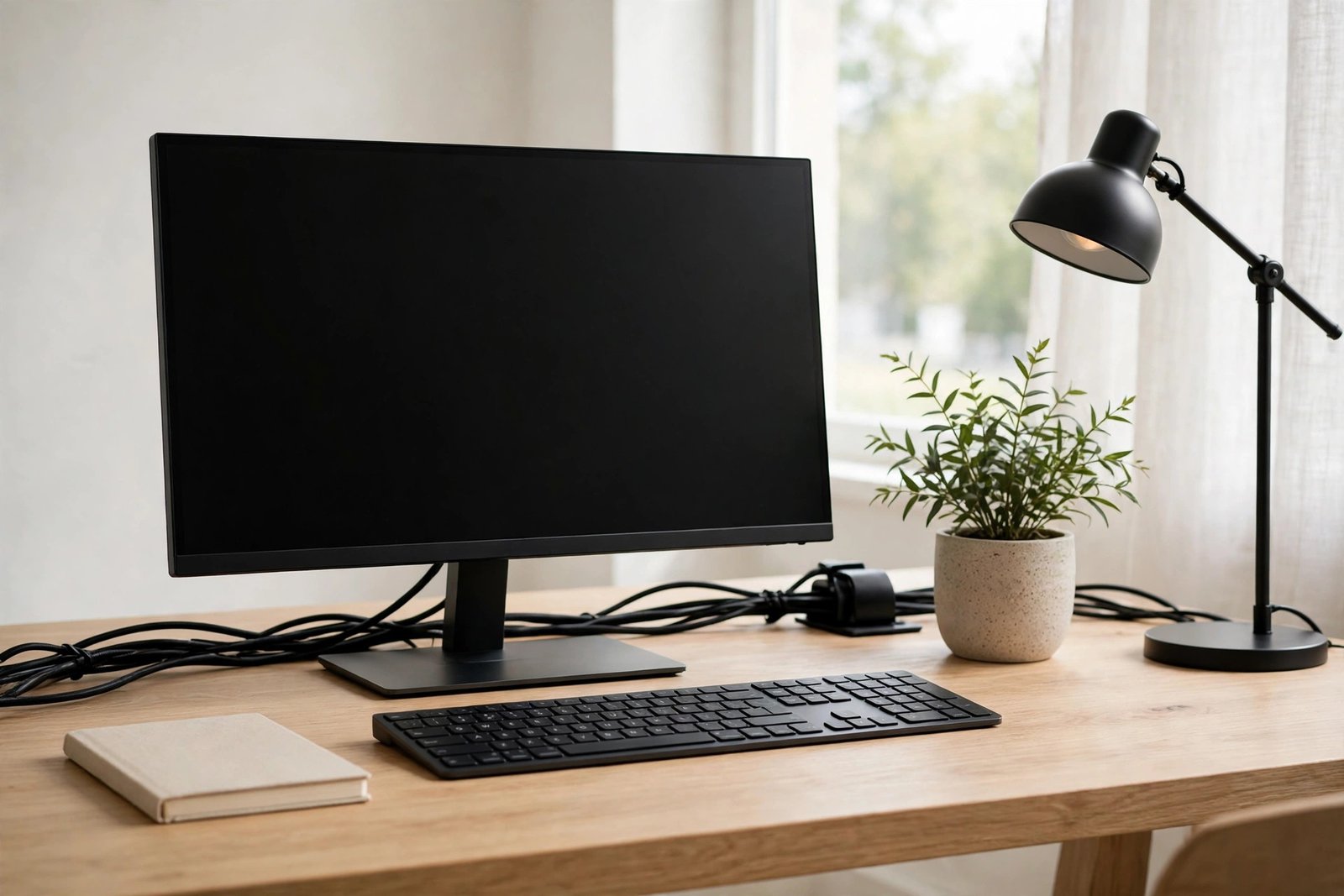
Keep cables tidy with clips, ties, or a cable box under the desk. Label chargers and cables if several people share the space, so the right charger is easy to find. Store spare supplies, such as paper and pens, in one box, and check it monthly. At the end of each day, clear the desk, file papers, and write tomorrow’s top task on a note. This five-minute reset makes the next morning calmer, and it marks the end of the workday. A well-organised office supports focus, because your attention stays on work, not on clutter.
Internet, Power, and Tech That Just Works
Reliable internet and power are the backbone of a home office. Keep a backup plan for important calls, such as a phone hotspot, in case the main connection fails. Place power sockets where you need them, and use a surge-protected power strip for your computer, screen, and charger. Keep cables tidy and out of walkways, where they can trip people or be damaged.
Choose tech that suits your work, not the newest model. A reliable laptop, a good headset for calls, and a webcam at eye level cover most needs. Test video calls before an important meeting, checking sound, picture, and background. Keep software updated, and back up work regularly, using cloud storage or an external drive. Tech should be boring and reliable: when it just works, you can focus on the work itself, not on fixing problems.
Setting Up on a Budget Without Cutting Corners
A budget home office setup can work well if you spend on the right things first. Prioritise a good chair, good lighting, and a stable desk, as these affect comfort every day. Save money on decoration, extra gadgets, and premium brands, which matter far less. Look for secondhand desks and chairs in good condition, and check them carefully before you buy. A sturdy secondhand desk, cleaned and repaired, can serve for years. Borrow or reuse items from elsewhere in the home, such as a lamp or a shelf, before you buy new ones.
Plan the budget before you shop, and list what you must have, what would help, and what can wait. Buy the essentials first, use the office for a few weeks, and then decide what is truly missing. This avoids spending on items that look useful but stay unused. A budget setup is not a poor setup. It is a setup built around real needs, with money spent where it makes the most difference to comfort and focus.
Sound, Privacy, and Boundaries for Focus
Sound and privacy affect focus more than most people expect. Choose the quietest spot you can, away from street noise, washing machines, and busy rooms. Use soft furnishings, such as curtains, rugs, and cushions, to absorb sound in a hard, echoing room.
Boundaries matter for wellbeing as well as focus. Set work hours, and stick to them as far as you can. Avoid checking work messages in the evening, unless your job truly requires it. Tell family and friends your work hours, so they know when you are free. Clear boundaries protect both work and rest, and they make working from home sustainable over months and years, not only for a few weeks.
Healthy Habits for Working From Home
A work from home office setup should support movement, rest, and good posture. Stand up and move every 30 to 60 minutes, even if only to stretch, walk to another room, or fill a water bottle. Look away from the screen every 20 minutes, and focus on something distant for 20 seconds, to rest your eyes. These small habits prevent stiffness, eye strain, and tiredness, and they help you stay focused for longer.
Posture matters too. Sit with your back supported, feet flat, and shoulders relaxed, and avoid hunching over a laptop for hours. Use a laptop stand and a separate keyboard, as advised earlier, and adjust your chair until the setup feels natural. If you feel pain in your neck, back, or wrists, adjust the setup at once, and seek advice from a qualified professional if pain persists. Working from home should not mean working in discomfort. A healthy routine, built into the day, keeps you well and makes the office a place you enjoy using.
Video Calls: Background, Camera, and Sound
Video calls need a tidy background, a camera at eye level, and clear sound. Choose a plain wall or tidy shelves behind you, and remove clutter that distracts. Place the camera at eye level, using a laptop stand or a stack of books, so you look natural and engaged. Test the view before important calls, and adjust the background and lighting until the picture looks calm and professional.
Sound matters as much as picture. Use a headset or a good microphone, and test it before the call. Choose a quiet room, close windows and doors, and ask others in the home for quiet during important calls. Mute yourself when you are not speaking, especially in large meetings. Good video call habits show respect for others’ time, and they help meetings run smoothly. A small amount of preparation makes every call easier, for you and for everyone else.
A Weekly Reset to Keep the Office Working
A weekly reset, lasting about thirty minutes, keeps the office working well. File or recycle papers, wipe the desk and screen, and check cables and chargers. Review storage: is anything overflowing, or is a drawer empty and unused? Adjust the setup to suit the work ahead, such as clearing space for a large project. Check tech too: update software, back up files, and test the headset and webcam. A weekly reset stops small problems from becoming large ones, and it keeps the office feeling fresh.
Has your chair height changed? Is the lamp in the right place? Is the desk still clear? Note one small improvement each week, and make it before the next reset. With a daily five-minute clear-up and a weekly reset, a home office stays organised without a large effort. The office should support your work, not demand constant attention. Small, regular care keeps it working, week after week, so you can focus on the work that matters.
FAQs
Where is the best place for a home office?
Choose a quiet spot with daylight, away from busy rooms, with room for a desk and chair. A spare room is ideal, but a quiet corner, alcove, or landing can work well with clear boundaries.
What desk and chair height should I use?
Use a desk at elbow height, with the screen top at or just below eye level, and a chair that lets your feet rest flat. Your knees and elbows should be at about right angles for comfortable, long-term work.
How can I set up a home office in a small space?
Use a corner desk or a floating desk, wall shelves, and storage that can be packed away. Keep the desk clearable in five minutes, use light colours, and agree on quiet hours in shared rooms.
How do I reduce eye strain when working from home?
Place your desk sideways to a window, use a desk lamp for even light, and look away every 20 minutes. Keep screen brightness suited to the room, and avoid glare from windows behind or beside the screen.
What is the cheapest way to set up a home office?
Spend first on a good chair, lighting, and a stable desk, and save on decoration and gadgets. Look for secondhand furniture, reuse items from home, and buy essentials first, adding extras only after a few weeks of use.
Conclusion
Setting up a home office is about comfort, focus, and boundaries, not about a large room or expensive furniture. Choose a quiet spot with daylight, set up a desk and chair at the right height, and add lighting, storage, and tech that just work. Keep the desk clear with daily resets, protect your health with movement and breaks, and switch off at the end of the day. With a simple setup and a weekly check, your home office will support good work for years. A calm, well-set office makes working from home easier, healthier, and more enjoyable.
Disclaimer: This article is provided for general information only and is not professional advice. It does not involve guest posting, paid promotion, or advertising, and thestylesmagazine.com does not sell or endorse any product mentioned. Results vary from person to person, so consider speaking with a qualified professional if you need advice about posture, pain, electrical safety, or a specific personal need.
Does this article help you? Explore our website The Styles Magazine to find more helpful and fun stories that could help you.
